Invisible “idle” seals
Seals sit stuck at a drop-off site for weeks without anyone noticing.
Electronic customs seal management, from pickup to invoice.
The in-house software of DGDA (DRC customs) subcontractors: pickup and drop-off missions, seal database, inventory, reports and invoices, plus a field app that works even with no signal.
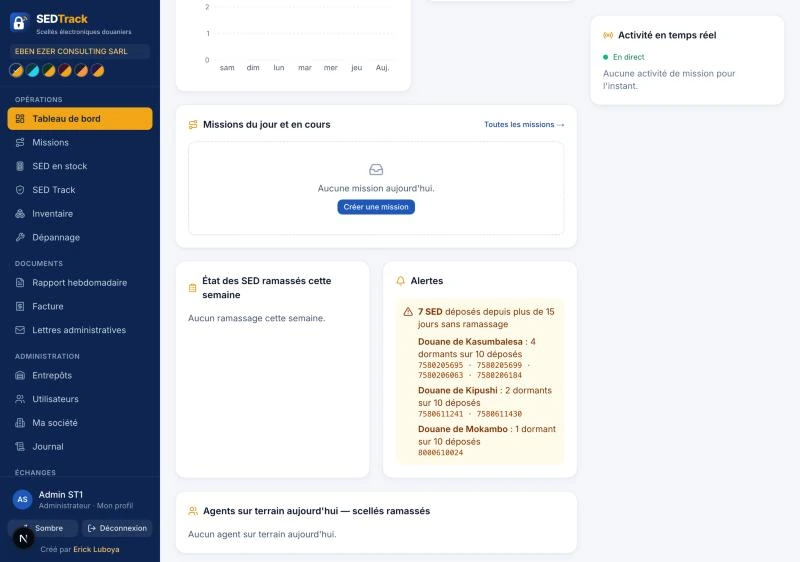
A subcontractor juggles thousands of seal numbers spread across warehouses, drop-off sites and field agents. Without a dedicated tool, everything runs on Excel and paper reports. Drag to see the difference.
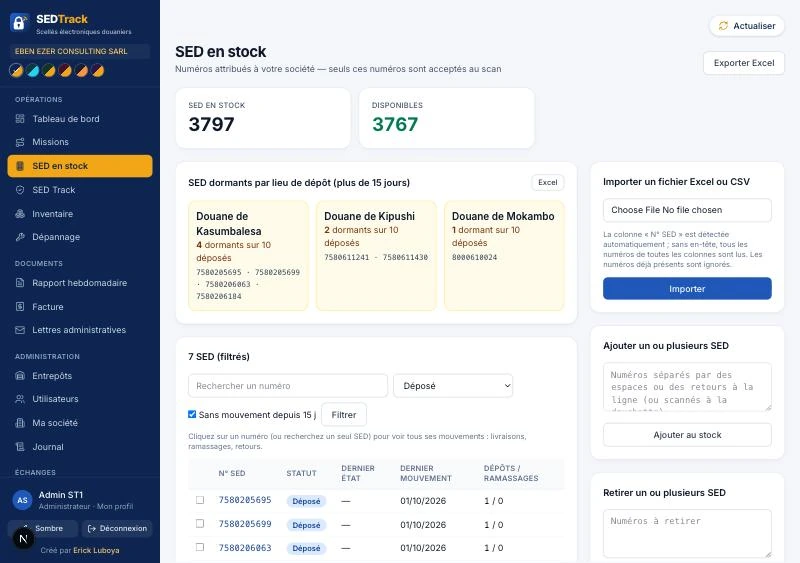 After · SEDTrack
Seals sit stuck at a drop-off site for weeks without anyone noticing.
The weekly report and the invoice are rebuilt by hand, with errors and gaps.
Collectors work in poorly covered areas: paper scans get lost or arrive late.
Without cross-checking the arming files, there’s no way to know who owns a used seal.
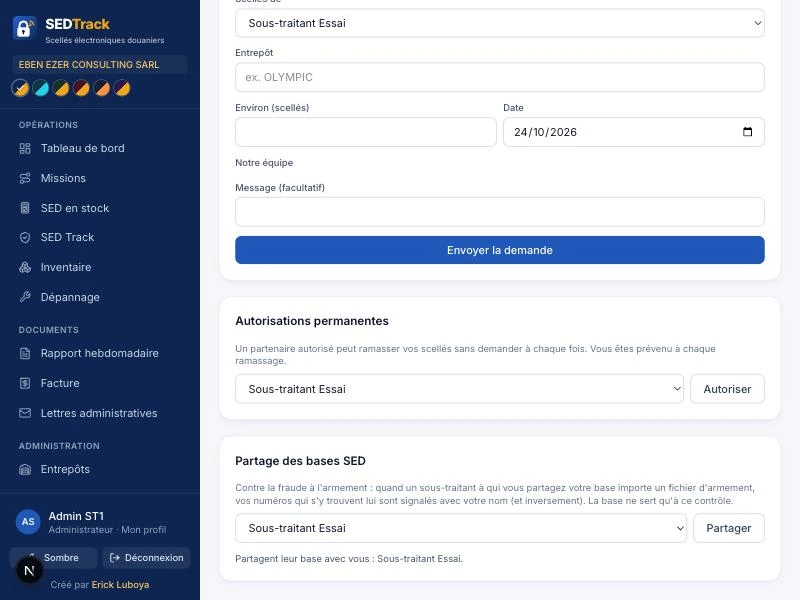
Everyone gets their own space, with only what they need. Management sees everything, in real time.
Agents, zones A, B, C, drop-off sites like Sakania, and seals picked from those collected, split across several sites.
The collector scans in a row, updates the status and prints the report. Data syncs as soon as the signal is back.
Number imports, monthly inventory, automatic archiving on the 1st of every month.
Locked weekly report you can reprint exactly as is, monthly invoice generated.
Idle seals by site and seals armed by other subcontractors, detected automatically.
The subcontractor’s seal numbers come in from Excel or CSV.
Agents scan on their phones, even offline.
The dashboard flags idle seals, movements and anomalies.
At the end of each week and month, everything is ready to print.
SEDTrack runs on Samsung tablets, at the office and in the warehouse. Tap the center screen to enlarge it.
!3 idle seals · Kasumbalesa✓+12 seals dropped off · Sakania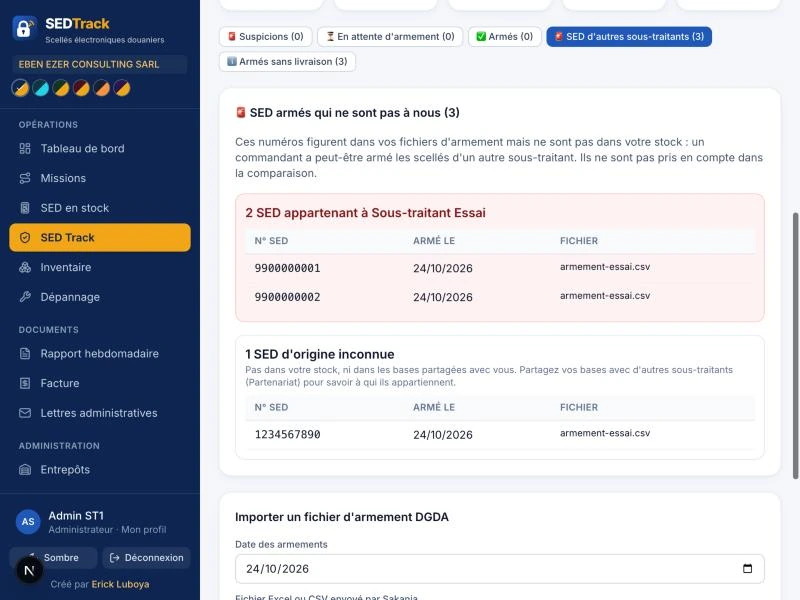 ✓Arming file imported
 ✓Access granted · Subcontractor B
I’ll walk you through SEDTrack in 20 minutes, using your own cases: missions, inventory, weekly report.
→Request a demoKinshasa · DRCinfo@erickluboya.com